I choose Quarto because Quarto is extensible, but simple to use.
TipWhat is Quarto?
Quarto is not a traditional Content Management System (CMS), but an open-source publication framework.
From your variety of source files, Quarto can build file formats such as .html or .pdf, and can natively run code within your content in languages such as Python or R to include live outputs.
Portfolio content is written in .qmd files, Quarto’s version of Markdown where you specify metadata in a YAML frontmatter block.
For example:
---title: "Portfolio"subtitle: "Content Engineering"categories: ["Content Architecture", "Quarto", "GitHub Pages", "Netlify", "CI/CD Workflows", "Frontend Development"]---How [https://beck-chan.github.io/](https://beck-chan.github.io/) is built and maintained.
Content that is repeated can be single-sourced from Quarto Includes4_*.qmd files, allowing for updates to shared content across multiple pages without having to manually update each page.
For example, my introduction for one of the organizations I’ve worked with, ValidMind …
{{< include /samples/single-source/validmind/_validmind.qmd >}}
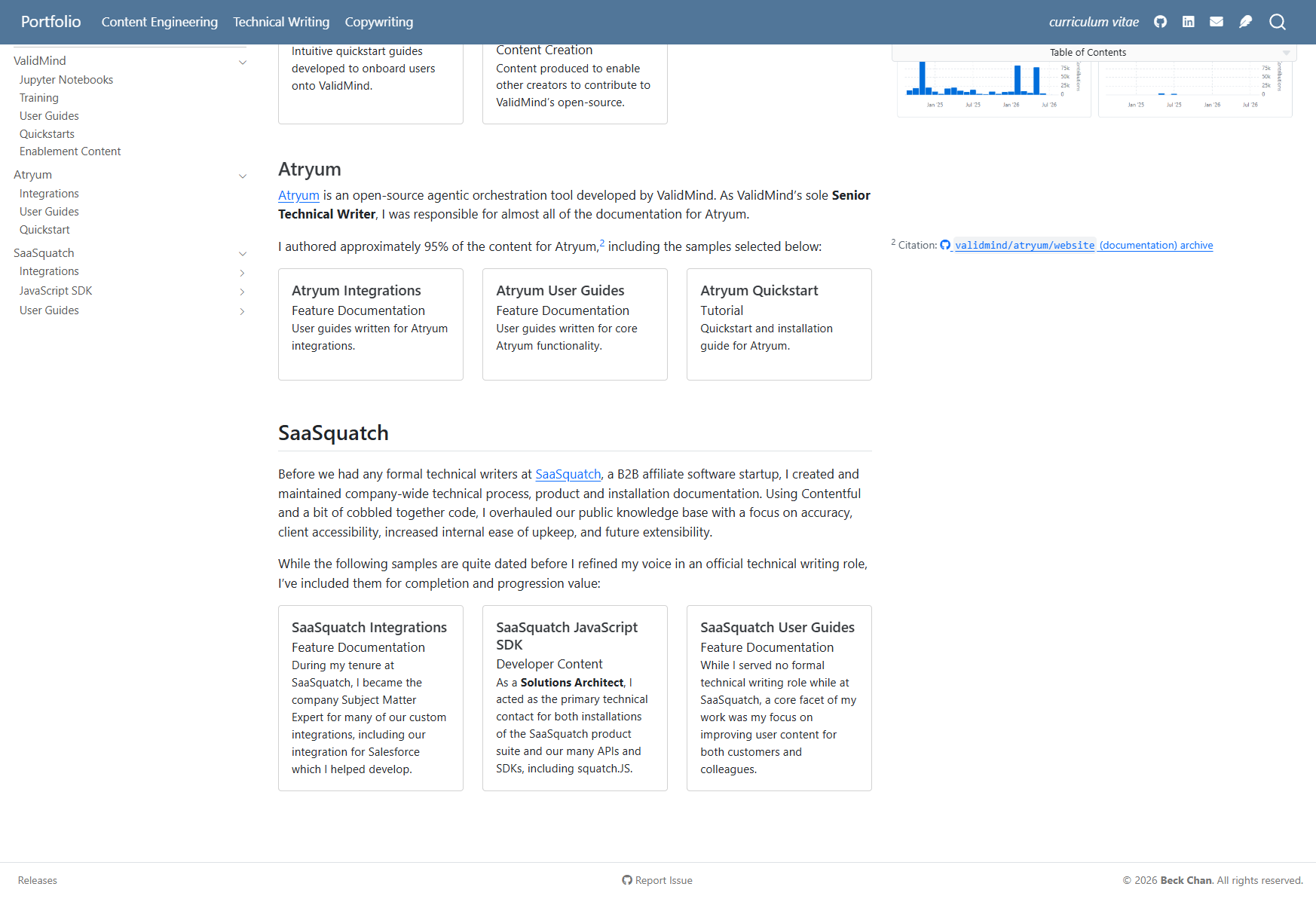
… renders as the below snippet everywhere it’s embedded:
I was the sole Senior Technical Writer for ValidMind, a generative artificial intelligence financial services startup, where I employed docs-as-code methodologies alongside software engineers delivering documentation as part of product in the same development ecosystem, transforming a minimal set of user guide drafts into a fully idealized and comprehensive knowledge base.
Quarto offers built-in indexing and searching capabilities,5 placed in the top navigation via an independent top-level frontmatter file called _quarto.yml:
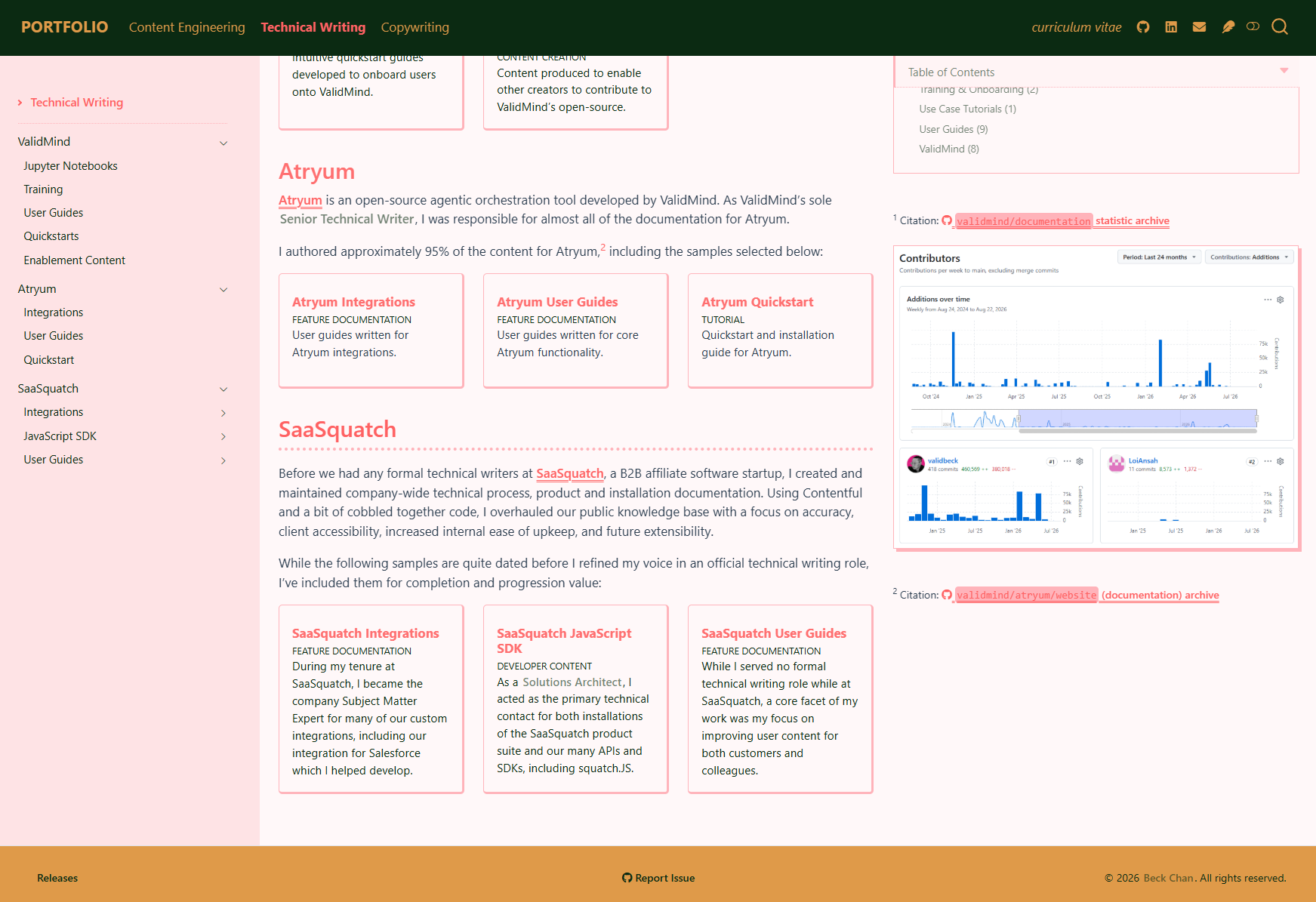
I implemented better support for viewing the portfolio on mobile devices by using Tachyons flex7 classes for columns, and adjusting parts of the theme to be more mobile-friendly:8
/*-- scss:defaults --*/// Foundations$body-bg: #fff8f9;// Page colour$body-color: #0b2a12;// Font colour$navbar-bg: #0b2a12;// Top nav bg colour$sidebar-bg: #fee3e5;// Side nav bg colour$navbar-padding-y: 1rem;// Top nav padding$sidebar-padding-y: 1rem;// Top nav padding$footer-bg: #df9a49;// Footer bg// And so on/*-- scss:rules --*//* Import modular SCSS files */@import'_styles/links';@import'_styles/nav';@import'_styles/content';@import'_styles/margin';@import'_styles/mobile';
And code styling is defined in assets/themes/default/code.theme:11
/*-- scss:defaults --*/// Foundations$body-bg: #FFFFFF;// Page colour$body-color: #212121;// Font colour$navbar-bg: #000000;// Top nav bg colour$sidebar-bg: #e9e9e9;// Side nav bg colour$navbar-padding-y: 1rem;// Top nav padding$sidebar-padding-y: 1rem;// Top nav padding// And so on/*-- scss:rules --*//* Import modular SCSS files */@import'_styles/links-min';@import'_styles/nav-min';@import'_styles/content-min';@import'_styles/margin-min';@import'_styles/mobile-min';
And code styling is defined in assets/themes/minimal/code.theme:13
There’s a limit to what you can adjust with CSS due to Quarto’s quirks, so I have some additional custom script adjustments set in _quarto.yml under include-after-body:
assets/pin-sidenav.html:14 Patch for Quarto’s left sidebar scrolling vertically with the page instead of staying fixed, since CSS alone can’t pin the sidebar reliably without breaking the page layout.
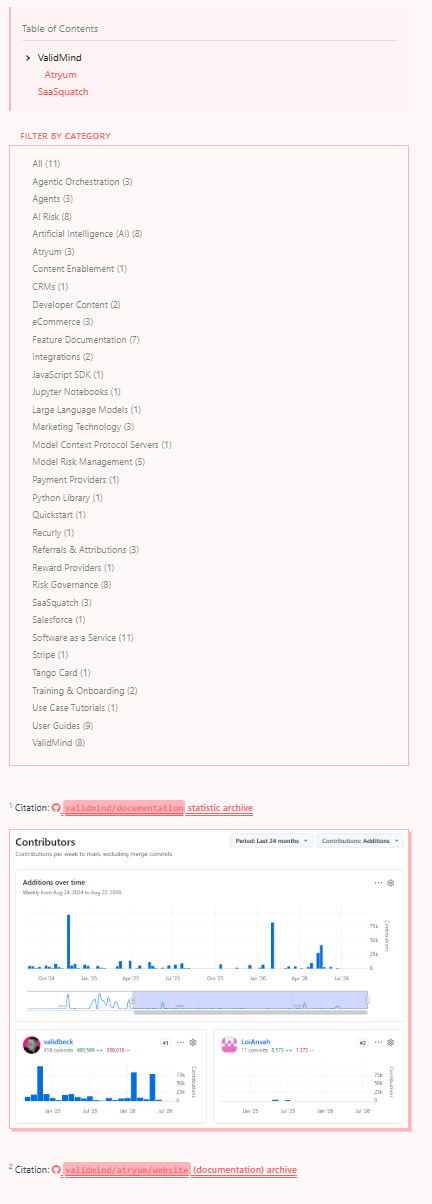
Footnotes are positioned in the right margin as a matter of personal preference, which means that they can overlap with the table of contents, any category filtering options, and the footer when the margin stacks tall, as well as break tabset containment.
assets/margin-below-toc.html:15 Cascades notes below the table of contents and category filters, pads the main content area when margin outgrows the body so it doesn’t collide with the footer, and hoists footnotes attached to tabset content into a sibling container.
Table of Contents & Category Filters Don’t Overlap
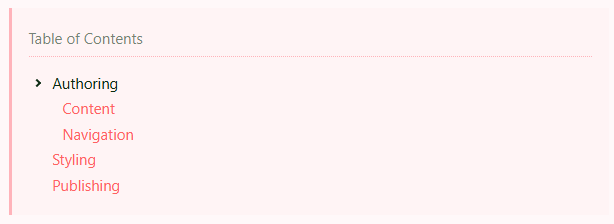
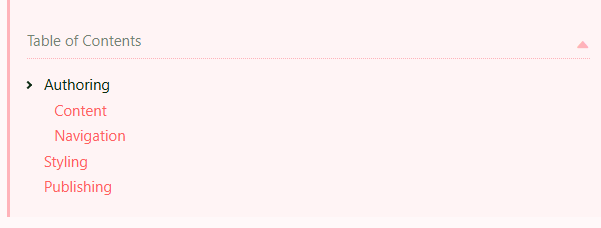
assets/sticky-toc-toggle.html:16 Shows a fixed table of contents dropdown when the page scrolls past the inline table of contents, allowing access to the table of contents anywhere on the page.
With CSS I applied a fixed top navigation bar, causing anchor links to scroll to their targets under the heading hiding information. CSS scroll-margin on headings is unreliable because Quarto lays pages out as a CSS grid, and Quarto’s own hash handler fires before the browser has finished scrolling.
assets/anchor-offset.html:17 Waits for the native scroll to finish, then nudges the page so the target sits 80px below the 75px height of the header.
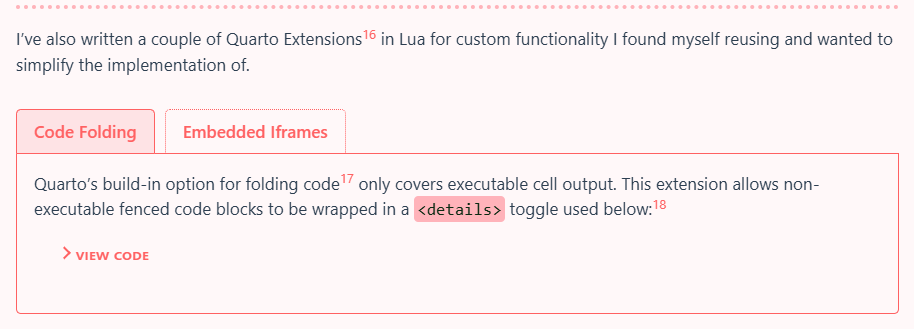
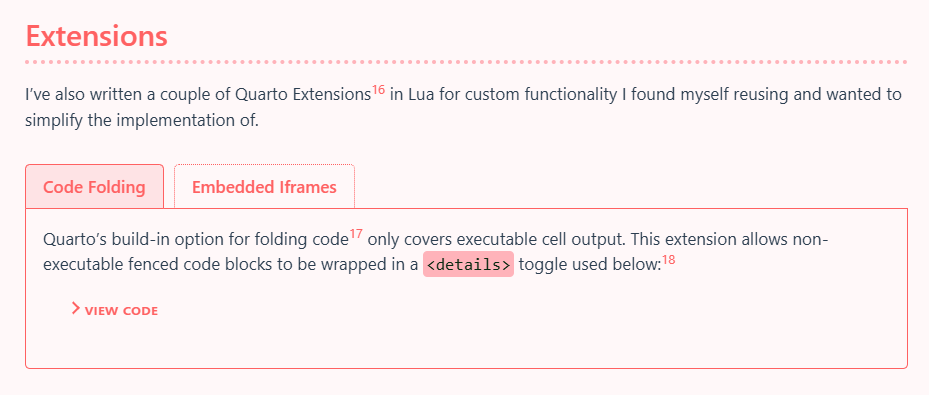
Quarto’s build-in option for folding code19 only covers executable cell output. This extension allows non-executable fenced code blocks to be wrapped in a <details> toggle used below:20
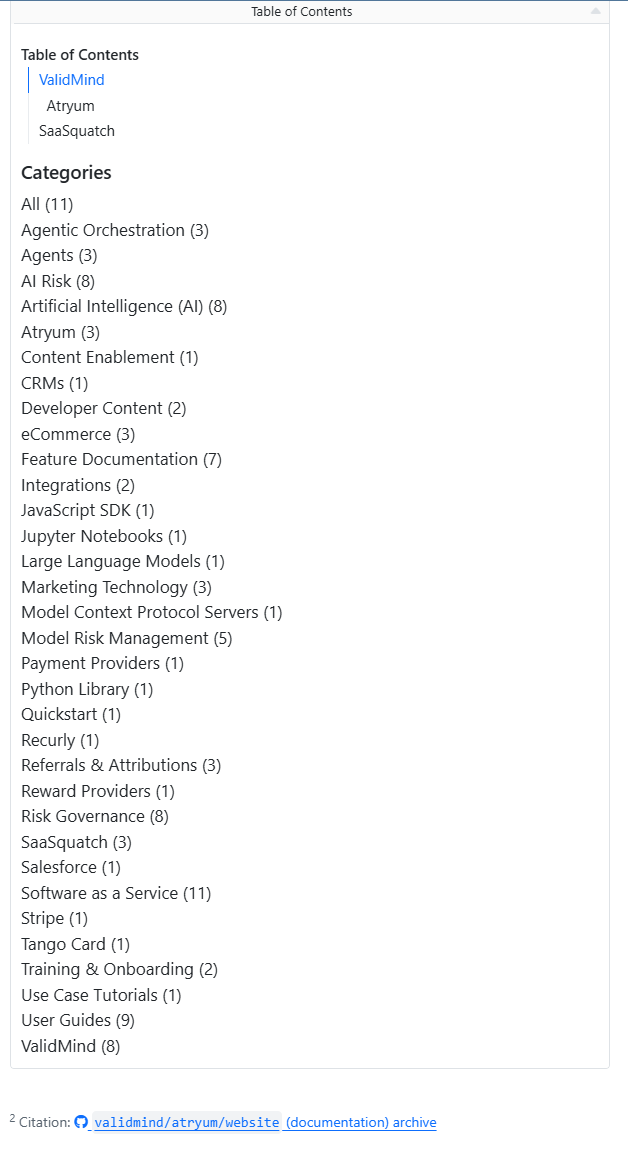
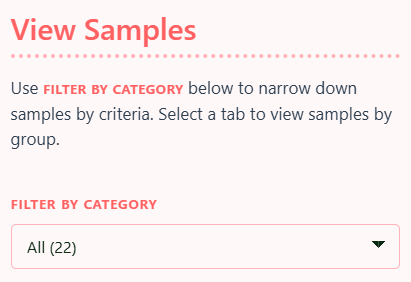
When enabled, Quarto’s category page filters display in the right margin on desktop,22 but are hidden by default on mobile. To solve this, I embedded a category filter as an inline drop-down for mobile view:23
I’ve chosen to automate the publishing process in the spirit of Continuous Integration and Continuous Delivery and Deployment (CI/CD), letting GitHub Workflows handle both generating (via quarto render) the website files from the source .qmd files, and deploying the completed site to GitHub Pages and Netlify where my production and staging portfolios are respectively hosted.
The first thing I did was define the output directory and and how and what files should be rendered in _quarto.yml:
project:type: websiteoutput-dir: _output # The default is _siterender:-"**/*.qmd"-"**/*.ipynb"
In my .gitignore, I’ve added the _output directory to avoid committing website files to the repository whenever they are generated locally by previewing or testing as I want rendering to actually be done on the fly via GitHub Actions.
This prevents me from ever accidentally forgetting to render the updated output files before calling it done, and as a result having outdated files displaying on the live portfolio site.
Since the content for this portfolio lives in my GitHub repository,24 I’ve also decided to use pull requests to merge major changes into my main branch as part of good version control practices even if I’m the only one working on any changes.
Each PR top-level comment is autopopulated with content from a PR template,25 that includes information on how to trigger automated release notes:
<!-- Any internal notes go here -->## Release Notes<!-- Tag the PR with one of the following labels so that releases.yaml can automatically generate a GitHub release bump:1. `major` (example: 1.0.0)2. `minor` (example: 1.1.0)3. `patch` (example: 1.1.1)Tagging with more than one label will give precedence in the order as numbered.Include any release notes you want displayed under this section.--><!-- Leave below untouched -->> **Browse the updated portfolio at: [https://beck-chan.github.io/](https://beck-chan.github.io/)**[How are releases generated?](https://beck-chan.github.io/samples/content-engineering/personal/portfolio/deployment.html#release-notes)
Utilizing pull requests allows me to streamline a few additional things with GitHub Workflows and automate (more on the last three in Portfolio Deployment):
The following GitHub Workflows run when a PR is opened, or when a commit is sent up to a branch connected to a PR:
### Spelling errors foundpoetry/random/24-guests.qmd:11:10 - Unknown word (wolfberries)poetry/random/derelict-dog-star.qmd:11:2 - Unknown word (emsp)poetry/random/derelict-dog-star.qmd:19:17 - Unknown word (Laika)poetry/random/persimmons.qmd:50:40 - Unknown word (cinnabarite)poetry/random/persimmons.qmd:51:18 - Unknown word (vermillion) fix: (vermilion)poetry/random/taken.qmd:12:16 - Unknown word (Wheelock's)poetry/random/taken.qmd:15:8 - Unknown word (rapio)poetry/random/taken.qmd:15:15 - Unknown word (rapere)poetry/random/taken.qmd:15:23 - Unknown word (rapui)poetry/random/taken.qmd:15:30 - Unknown word (raptum)poetry/random/taken.qmd:23:7 - Unknown word (ingly)poetry/random/taken.qmd:25:9 - Unknown word (rapior)poetry/random/taken.qmd:28:19 - Unknown word (suffereth)poetry/random/taken.qmd:29:11 - Unknown word (violenti)poetry/random/taken.qmd:29:20 - Unknown word (rapiunt)poetry/random/taken.qmd:29:28 - Unknown word (illa)poetry/random/taken.qmd:32:7 - Unknown word (iful)poetry/random/taken.qmd:36:32 - Unknown word (Oothoon)poetry/random/taken.qmd:39:8 - Unknown word (impeity)poetry/random/to-dc.qmd:14:1 - Unknown word (Aegeas)
.github/workflows/link-check.yaml29 Generates the static output site files with the default profile (no production PostHog tracking) and checks the output for broken links and other warnings, then adds a comment with the results when complete:30
### Render warnings foundWARNING: Unable to resolve link target: samples/content-engineering/validmind/missing.htmlWARNING: Unable to resolve link target: #fig-not-realWARNING: Unable to resolve crossref: fig-missing
show code
# Set up steps ...-name: Render siteid: render run: | set +e set -o pipefail quarto render 2>&1 | tee render-output.txt status=${PIPESTATUS[0]} set -e sed 's/\x1b\[[0-9;]*[a-zA-Z]//g' render-output.txt \ | grep -E 'WARNING:|\[WARNING\]|ERROR:|\[ERROR\]|Unable to resolve' \ > render-warnings.txt || true if [ ! -s render-warnings.txt ] && [ "$status" != "0" ]; then tail -n 80 render-output.txt > render-warnings.txt fi failed=false if [ "$status" != "0" ] || [ -s render-warnings.txt ]; then failed=true fi echo "exit_code=$status" >> "$GITHUB_OUTPUT" echo "failed=$failed" >> "$GITHUB_OUTPUT" cat render-warnings.txt-name: Comment on PRuses: actions/github-script@v7with: script: | const fs = require('fs'); const marker = '<!-- quarto-render-pr-comment -->'; const failed = '${{ steps.render.outputs.failed }}' === 'true'; const renderFailed = '${{ steps.render.outputs.exit_code }}' !== '0'; let output = ''; if (fs.existsSync('render-warnings.txt')) { output = fs.readFileSync('render-warnings.txt', 'utf8').trim(); } const max = 60000; if (output.length > max) { output = output.slice(0, max) + '\n\n…truncated'; } const heading = renderFailed ? 'Quarto render failed' : failed ? 'Render warnings found' : 'No render warnings found'; const body = failed ? `${marker}\n## ${heading}\n\n\`\`\`text\n${output}\n\`\`\`` : `${marker}\n## ${heading}`; const comments = await github.paginate(github.rest.issues.listComments, { owner: context.repo.owner, repo: context.repo.repo, issue_number: context.issue.number, }); const existing = comments.find((c) => c.body?.includes(marker)); if (existing) { await github.rest.issues.updateComment({ owner: context.repo.owner, repo: context.repo.repo, comment_id: existing.id, body, }); } else { await github.rest.issues.createComment({ owner: context.repo.owner, repo: context.repo.repo, issue_number: context.issue.number, body, }); }
Quarto can finish a render with a successful exit code even when links do not resolve, so the workflow treats WARNING and ERROR lines as failures.